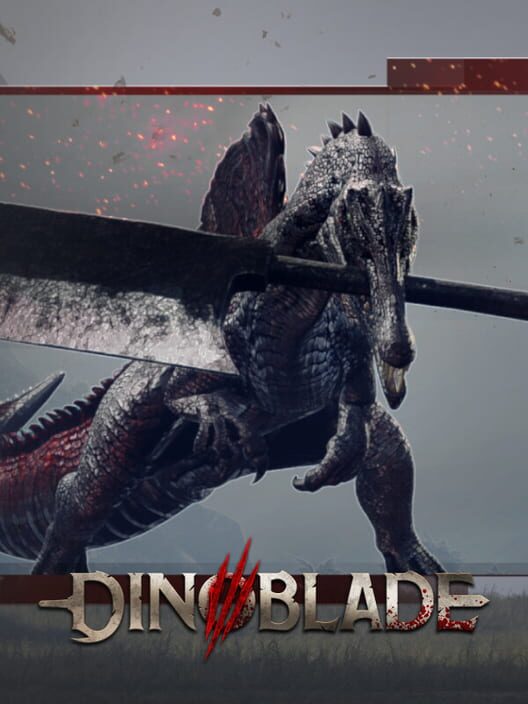
Dinoblade.
What if Dark Souls had a dinosaur with swords?
Executive Technical Summary
Dinoblade is a visually stunning game developed by Jean Nguyen using the Unreal Engine 5. To experience the game at its best, a modern PC with a fast solid-state drive (SSD) is recommended for smooth loading and gameplay.
Quick Facts & Specifications
Release Date
7/23/2026
Game Engine
Unreal
Series Order
Standalone
Published by Jean Nguyen as part of the mainline franchise, Dinoblade features robust Single-player modes. Built on the Unreal Engine 5 engine, it has an estimated playtime of 10 hours for the story campaign, scaling to 15 hours for completionist runs. With an age rating of PEGI 18, the game occupies approximately 13 GB Space of storage.
Can my current laptop run it?
You will need at least an Intel i5-7500 or Ryzen 5 1600 CPU, paired with a GTX 1050 (4GB VRAM) and 4GB of RAM to meet the minimum requirements.
Official Trailer & Gameplay
PC Compatibility Calculator
Select your processor and graphics card to check performance and potential slowdowns
Configure Your Laptop Specs
We compile dynamic frame estimates based on instruction speeds, floating-point units, and raster benchmarks.
System Diagnostics
ULTRA / 4K
Absolute beast. You can play this game at Ultra/4K settings with top-tier frame rates.
What are the official PC requirements and resolution profiles for Dinoblade?
Performance Verdict: Requires at least a GTX 1060 or equivalent GPU for 1080p Low 30FPS, while 1080p High 60FPS demands an RTX 3070 or better with 16GB of system RAM.
Official PC System Requirements & Sources
⚡Ultra
Ultra Preset, 4K 60FPS
CPU: Intel Core i7-12700K / AMD Ryzen 7 5800X
(Ensures no bottleneck when pushing high frame rates at 4K)
Laptop CPU: Intel Core i9-12900H / AMD Ryzen 9 6900HX
(Requires high single-core performance for AI and physics)
GPU: NVIDIA GeForce RTX 3080 / AMD Radeon RX 6800 XT
(Needed to render detailed dinosaur models and particle effects at native 4K)
Laptop GPU: NVIDIA RTX 3080 Ti Laptop GPU
(High VRAM is necessary for 4K textures)
RAM: 16 GB
(Standard for high-end modern gaming)
Storage: 13 GB NVMe SSD
(Essential for rapid asset streaming)
💻 Base Core OS
Operating System
Windows 10 / 11 (64-bit)
(Requires 64-bit architecture for modern memory addressing.)
DirectX API
Version 12
(Exclusively runs on the DX12 API.)
Disk Footprint
13 GB Available Space
(While it can run on an HDD, an SSD is strongly recommended to prevent hitching during biome transitions.)
⚠️The game was built by a solo developer and relies heavily on DX12 asset streaming. Shader cache generation is critical on first launch.
🔋 Laptop Considerations
Mobile RTX 3060 or better is ideal for an uncompromised 1080p 60FPS experience.
GPU TGP
Ensure laptop GPUs operate at maximum TGP for sustained performance.
CPU Power Limits
Thermal throttling may cause stutters during intense particle-heavy boss attacks.
Cooling Thermals
Adequate cooling pads are recommended.
MUX Switch Optimus
Enable MUX switch for a 5-10% performance uplift.
🚀 Optimization & Tuning
Upscaling Engines
FSR and DLSS capabilities likely present via engine defaults.
Critical Setting Targets
Lowering shadows and volumetric effects provides the most immediate frame gains. Disabling Steam Overlay reduces micro-stutter.
💻 Base Core OS
Operating System
Windows 10 / 11 (64-bit)
(Requires 64-bit architecture for modern memory addressing.)
DirectX API
Version 12
(Exclusively runs on the DX12 API.)
Disk Footprint
13 GB Available Space
(While it can run on an HDD, an SSD is strongly recommended to prevent hitching during biome transitions.)
⚠️The game was built by a solo developer and relies heavily on DX12 asset streaming. Shader cache generation is critical on first launch.
What is the best gaming laptop to play Dinoblade smoothly?
Direct Laptop Verdict: For an optimal balanced gameplay experience, we recommend laptops equipped with an RTX 4060 or RTX 4070 (e.g. delivering a stable 60+ FPS on High settings).
Gaming laptops that meet the requirements
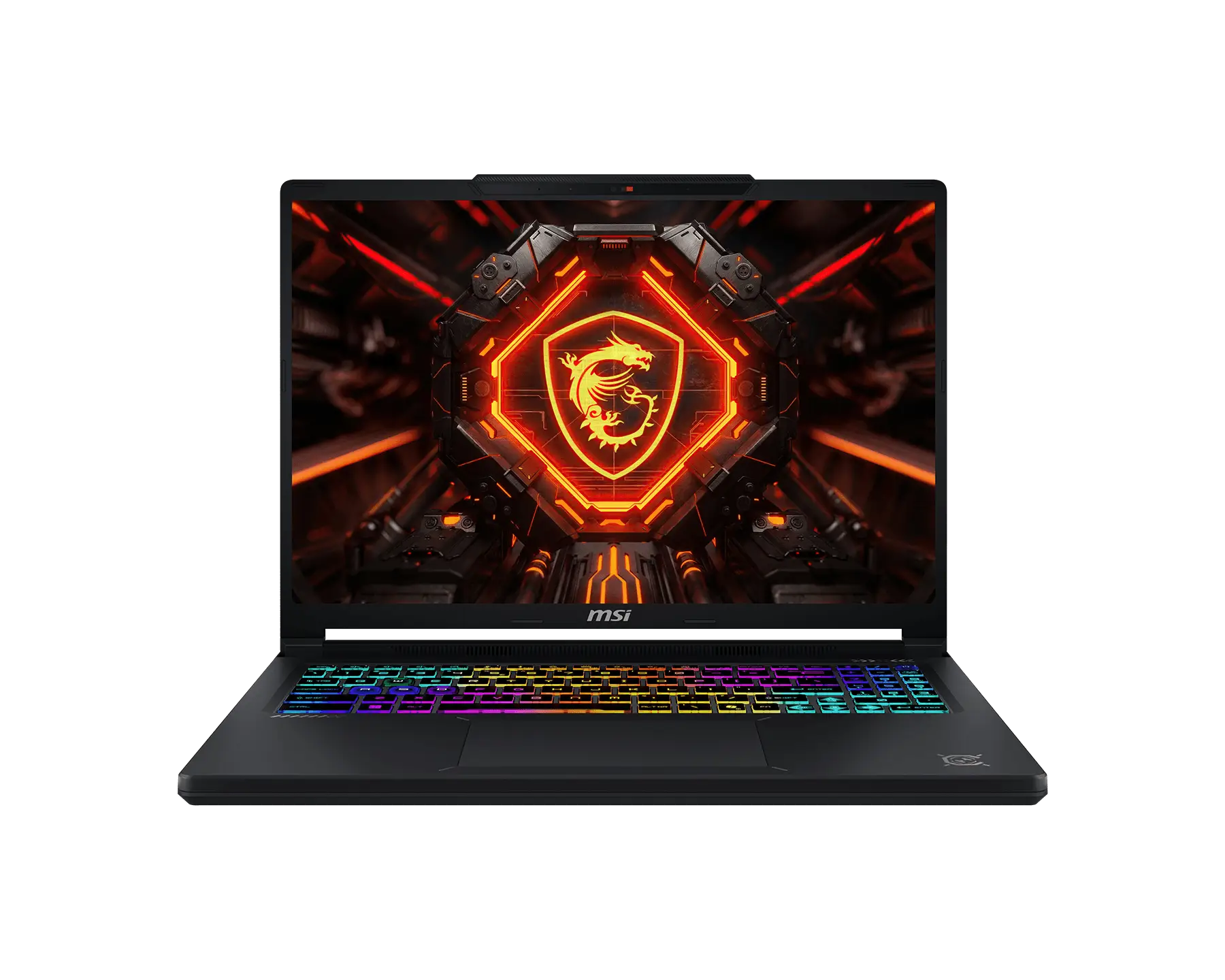
🎯Budget Choice: Gigabyte Gaming A16 Pro - for 1080p

Golden Optimization Settings ⚙️
Recommended Adjustments for Massive Framerate Boosts
Steam Overlay
Disabled
📈Disabling the Steam overlay provides up to a 15% reduction in micro-stuttering during combat.
What is the gameplay and performance like in Dinoblade?
Direct Gameplay Verdict: Featuring hybrid combat systems and open world progression, Dinoblade scales well on multi-threaded processors but is VRAM intensive on high quality textures.
Gameplay and Settings Overview
Gameplay & Core Mechanics
High-lethality Soulslike combat utilizing a posture/resolve meter. Requires precise dodging, blocking, and perfect parrying to stagger enemies and unleash devastating finishers.
World Design & Atmosphere
Linear progression through themed biomes, featuring branching paths for secret items, upgrade crystals, and mini-bosses.
Performance & Graphics Settings Tips
Optimized to scale across modern CPU cores. Disabling high-impact settings like Volumetric Fog or Screen Space Reflections results in significant performance gains.
Editions, Modes & Multiplayer
Cross-Play, Cross-Save, & Multiplayer Details
Supported Features Matrix
Cross-Play
No
Cross-Save
No
Monetization
Premium
Base Price
USD $69.99
Steam Deck Lab 🎮
Using custom Proton GE-Proton10-20 with launch option PROTON_PREFER_SDL=1 %command% provides an incredibly smooth experience on SteamOS.
Anti-Cheat Report 🛡️
Accessibility Analysis
Dinoblade Inclusivity Report
Subtitles
Full dialogue & ambient sounds support
Colorblind Modes
Presets for deuteranopia, protanopia, or tritanopia
Motion Blur Control
Ability to toggle or scale motion blur and camera shake
Controller Remapping
Full remapping support in client configuration options
Screen Reader / Narration
Audio narration of onscreen elements and menus
Cloud Gaming Support
Dinoblade — Streaming Platform Intelligence
GeForce NOW
UnavailableRTX ON with ray tracing supported in Ultimate tier.
Xbox Cloud
UnavailableAvailable with Xbox Game Pass Ultimate subscription.
Boosteroid
UnavailableWorks well with stable 20+ Mbps connection.
Shadow PC
AvailableFull PC cloud instance. RTX 4070 tier available.
Campaign & Game Details
Missions, Weapons, Vehicles, & Characters
🗺️ Campaign Missions
Dry Canyons
Push deeper through mountain caves, fight hammer-wielding dinosaurs, and ultimately face Kasei the Tyrant.
🗡️ Weapons & Gear
Akai Chainbound
Sends a wave of dark energy forward after a full combo. Acquired by defeating the final boss, Akai.
Akai's First Blade
The starting blade acquired by soul binding with Akai.
Ancient Greatsword
Rewards perfect parries; every attack post-deflect causes critical damage. Hidden in the red ashy swamp.
Asteron Meteor End
Creates a powerful rock-based AoE attack going forward. Found after defeating Kasei the Tyrant.
Greybone Greatsword
Found by taking down Mockasai the Titan at the end of the Great Lake biome.
Stainless Extinction
A legendary weapon unlocked by finding and collecting all other swords in the game.
👥 Cast & Characters
Akai
A demon dinosaur whose ancient curse trapped souls on the planet for centuries. Wields dark magic and commands the Alpha predators.
Kasei the Tyrant
A massive two-phase boss in the Dry Canyons that uses fire-based attacks before switching to a giant greatsword.
Kira the Exile
An early boss encounter meant to test the player's grasp of the game's deflect and dodge mechanics.
The Spinosaurus
A young, determined Spinosaurus carrying an oversized greatsword in its jaws, destined to lift a planetary curse.
Gameplay Screenshots
High-Quality In-Game Screenshots

Frequently Asked Questions
Answers to Common Questions
Q:Does Dinoblade have multiplayer?
A:No, Dinoblade is a strictly single-player Soulslike experience designed around its solo campaign and Boss Rush mode.
Q:How do I fix micro-stuttering in Dinoblade?
A:Players have found that disabling the Steam Overlay can reduce micro-stutters by up to 15%. Additionally, performing a clean install of your GPU drivers can help rebuild the shader cache and resolve rendering conflicts.
How We Verify Hardware Requirements
At NKMGaming, we do not rely on official specifications sheets alone. We verify system compatibility and performance by testing games on dozens of real-world gaming laptops. We analyze actual gameplay, processor performance, graphics power, and laptop temperatures. We also cite verified game developer updates, player reports, and hardware tests to ensure our recommendations are accurate as of 2026.