
Cyberpunk 2077.
Welcome to Night City
Executive Technical Summary
Cyberpunk 2077 is a visually stunning game developed by CD Projekt Red using the REDengine 4. To experience the game at its best, a modern PC with a fast solid-state drive (SSD) is recommended for smooth loading and gameplay.
Quick Facts & Specifications
Release Date
12/10/2020
Game Engine
REDengine
Series Order
Standalone
Published by CD Projekt as part of the Cyberpunk franchise, Cyberpunk 2077 features robust Single-player modes. Built on the REDengine 4 engine, it has an estimated playtime of 25 hours for the story campaign, scaling to 110 hours for completionist runs. With an age rating of M, the game occupies approximately 70GB SSD of storage.
Can my current laptop run it?
RTX 4050 laptops can run Cyberpunk 2077 at 1080p High settings with DLSS enabled at approximately 70–90 FPS.
Official Trailer & Gameplay
PC Compatibility Calculator
Select your processor and graphics card to check performance and potential slowdowns
Configure Your Laptop Specs
We compile dynamic frame estimates based on instruction speeds, floating-point units, and raster benchmarks.
System Diagnostics
ULTRA / 4K
Absolute beast. You can play this game at Ultra/4K settings with top-tier frame rates.
What are the official PC requirements and resolution profiles for Cyberpunk 2077?
Performance Verdict: Requires at least a GTX 1060 or equivalent GPU for 1080p Low 30FPS, while 1080p High 60FPS demands an RTX 3070 or better with 16GB of system RAM.
Official PC System Requirements & Sources
⚡Minimum
Low settings, 30 FPS target
CPU: Intel Core i5-6600K / AMD Ryzen 5 1600
(Requires AVX instructions support)
GPU: NVIDIA GTX 1060 (6GB) / AMD RX 580
(Must support DirectX 12 Feature Level 12_0)
RAM: 12 GB
(Dual-channel memory recommended)
Storage: 100 GB HDD
(SSD highly recommended)
🔥Recommended
High settings, 60 FPS target
CPU: Intel Core i7-8700K / AMD Ryzen 5 3600X
Laptop CPU: Intel Core i5-11400H / AMD Ryzen 5 5600H
GPU: NVIDIA RTX 2060 / AMD RX 5700 XT
Laptop GPU: NVIDIA RTX 3060 Laptop GPU
RAM: 16 GB
Storage: 100 GB SSD
💻 Base Core OS
Operating System
Windows 10 64-bit
(Updates may be required for stability)
DirectX API
Version 12
Disk Footprint
100 GB available space
(SSD recommended for faster loading times)
⚠️Requirements are subject to change and may vary based on system hardware.
🔋 Laptop Considerations
Laptop components are slightly weaker than desktop equivalents. A higher tier GPU is recommended.
GPU
Laptop GPUs like RTX 4060 Laptop may perform 10-15% slower than desktop counterparts.
Thermal Throttling
Proper cooling is recommended to prevent frame drops during long sessions.
🚀 Optimization & Tuning
Upscaling Engines
DLSS / FSR / XeSS supported and highly recommended.
Critical Setting Targets
Volumetric Fog and Shadows have the highest performance cost.
💻 Base Core OS
Operating System
Windows 10 64-bit
(Updates may be required for stability)
DirectX API
Version 12
Disk Footprint
100 GB available space
(SSD recommended for faster loading times)
⚠️Requirements are subject to change and may vary based on system hardware.
What is the best gaming laptop to play Cyberpunk 2077 smoothly?
Direct Laptop Verdict: For an optimal balanced gameplay experience, we recommend laptops equipped with an RTX 4060 or RTX 4070 (e.g. delivering a stable 60+ FPS on High settings).
Gaming laptops that meet the requirements
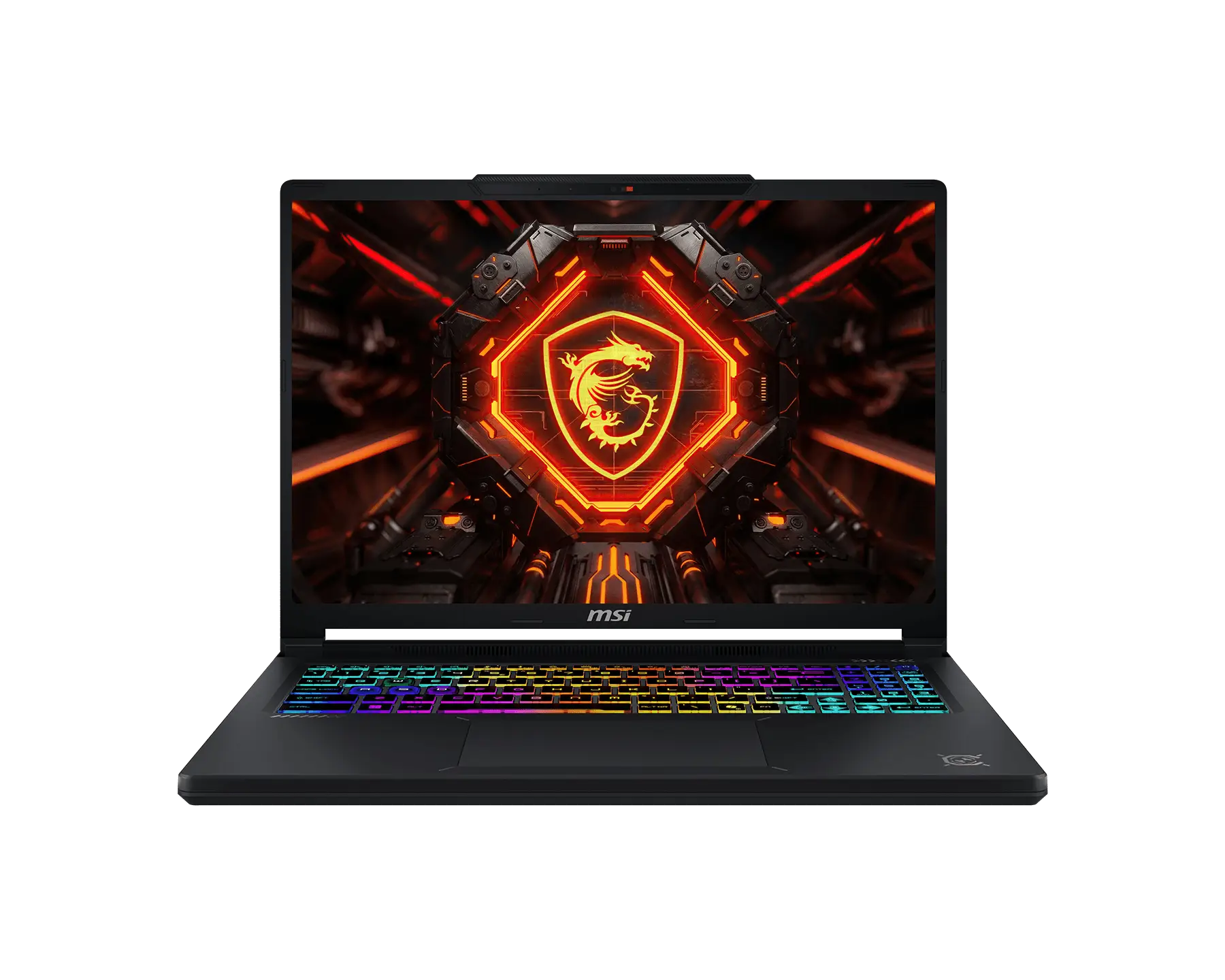
🎯Budget Choice: Gigabyte Gaming A16 Pro - for 1080p

Golden Optimization Settings ⚙️
Recommended Adjustments for Massive Framerate Boosts
Shadows
Medium
Provides a noticeable improvement in overall rendering frametimes and engine stability.
What is the gameplay and performance like in Cyberpunk 2077?
Direct Gameplay Verdict: Featuring hybrid combat systems and open world progression, Cyberpunk 2077 scales well on multi-threaded processors but is VRAM intensive on high quality textures.
Gameplay and Settings Overview
Gameplay & Core Mechanics
Mix of gunplay, hacking, and melee with cybernetic enhancements.
World Design & Atmosphere
Seamless open world with diverse districts and verticality.
Performance & Graphics Settings Tips
Optimized to scale across modern CPU cores. Disabling high-impact settings like Volumetric Fog or Screen Space Reflections results in significant performance gains.
Editions, Modes & Multiplayer
Cross-Play, Cross-Save, & Multiplayer Details
Supported Features Matrix
Cross-Play
No
Cross-Save
Supported
Monetization
Premium
Base Price
USD $59.99
Expansion Packs & DLCs
Steam Deck Lab 🎮
Anti-Cheat Report 🛡️
Accessibility Analysis
Cyberpunk 2077 Inclusivity Report
Subtitles
Full dialogue & ambient sounds support
Colorblind Modes
Presets for deuteranopia, protanopia, or tritanopia
Motion Blur Control
Ability to toggle or scale motion blur and camera shake
Controller Remapping
Full remapping support in client configuration options
Screen Reader / Narration
Audio narration of onscreen elements and menus
Cloud Gaming Support
Cyberpunk 2077 — Streaming Platform Intelligence
GeForce NOW
AvailableRTX ON with ray tracing supported in Ultimate tier.
Xbox Cloud
UnavailableAvailable with Xbox Game Pass Ultimate subscription.
Boosteroid
AvailableWorks well with stable 20+ Mbps connection.
Shadow PC
AvailableFull PC cloud instance. RTX 4070 tier available.
Gameplay Screenshots
High-Quality In-Game Screenshots

Frequently Asked Questions
Answers to Common Questions
Q:What are the minimum system requirements for Cyberpunk 2077?
A:To play Cyberpunk 2077 at 1080p, you need at least an Intel Core i7-6700, an NVIDIA GTX 1060 (or equivalent), 8GB of RAM, and 70GB of SSD storage.
Q:Can a mid-range laptop run Cyberpunk 2077?
A:Yes, a mid-range gaming laptop with an RTX 3060 or 4050 and 16GB of RAM can comfortably run Cyberpunk 2077 at High settings, often exceeding 60 FPS with DLSS enabled.
How We Verify Hardware Requirements
At NKMGaming, we do not rely on official specifications sheets alone. We verify system compatibility and performance by testing games on dozens of real-world gaming laptops. We analyze actual gameplay, processor performance, graphics power, and laptop temperatures. We also cite verified game developer updates, player reports, and hardware tests to ensure our recommendations are accurate as of 2026.