
Avatar: Frontiers of Pandora.
Reclaim your lost heritage and protect the Western Frontier of Pandora.
Executive Technical Summary
Developed by Massive Entertainment, the game utilizes the Snowdrop engine to render some of the most dense, biologically diverse, and visually stunning forests ever seen in gaming. Players explore the Western Frontier of Pandora, meeting three distinct Na'vi clans to unite them against the RDA.
Quick Facts & Specifications
Release Date
12/7/2023
Game Engine
Snowdrop
Series Order
Standalone
Published by Ubisoft as part of the Avatar franchise, Avatar: Frontiers of Pandora features robust Single-player modes. Built on the Snowdrop engine, it has an estimated playtime of 20 hours for the story campaign, scaling to 60 hours for completionist runs. With an age rating of PEGI 18, the game occupies approximately 90GB SSD of storage.
Can my current laptop run it?
To simply run the game at 1080p 30FPS, you strictly need at least an SSD, 16GB of RAM, and an 8GB VRAM card like a GTX 1070 or RX 5700.
Asus ROG Strix Scar 17 SE (2022)
Official Trailer & Gameplay
PC Compatibility Calculator
Select your processor and graphics card to check performance and potential slowdowns
Configure Your Laptop Specs
We compile dynamic frame estimates based on instruction speeds, floating-point units, and raster benchmarks.
System Diagnostics
ULTRA / 4K
Absolute beast. You can play this game at Ultra/4K settings with top-tier frame rates.
What are the official PC requirements and resolution profiles for Avatar: Frontiers of Pandora?
Performance Verdict: Requires at least a GTX 1060 or equivalent GPU for 1080p Low 30FPS, while 1080p High 60FPS demands an RTX 3070 or better with 16GB of system RAM.
Official PC System Requirements & Sources
⚡Ultra
Ultra Preset + FSR2/DLSS Balanced, 4K
CPU: Intel Core i7-12700K or AMD Ryzen 7 5800X3D
(Enthusiast desktop processors required for 4K Ultra 60FPS target.)
Laptop CPU: Intel Core i9-13900H / AMD Ryzen 9 7945HX
(Top-tier mobile processors capable of handling intense AI and engine physics.)
GPU: NVIDIA GeForce RTX 4080 (16GB) or AMD Radeon RX 7900 XTX (24GB)
(Flagship desktop GPUs needed to handle forced RT at 4K.)
Laptop GPU: NVIDIA RTX 4080 Laptop / RTX 4090 Laptop
(Requires massive VRAM and raw rasterization power.)
RAM: 16 GB
(Dual-channel 16GB required.)
Storage: 90 GB NVMe SSD
(Fast NVMe recommended.)
💻 Base Core OS
Operating System
Windows 10 / 11 (64-bit only)
(Requires modern OS for DirectX 12 Ultimate.)
DirectX API
Version 12 Ultimate
(Requires DX12 Ultimate feature set for mesh shading and ray tracing.)
Disk Footprint
90 GB available space on an SSD
(HDD installations are not officially supported and will cause massive texture pop-in and audio desync.)
⚠️Official requirements from Ubisoft. The Snowdrop Engine utilizes mandatory hardware-accelerated Ray Tracing. Upscaling (DLSS/FSR) is assumed in all official benchmark targets.
🔋 Laptop Considerations
Only premium gaming laptops (RTX 4060 and above) should expect stable 60 FPS gameplay at 1080p High settings.
GPU TGP
Maximum TGP laptops (130W+) are highly recommended due to engine demands.
CPU Power Limits
Game is heavily multi-threaded; ensure laptop cooling profiles are set to performance.
Cooling Thermals
Extremely heavy on both CPU and GPU; thermal throttling will occur on thin-and-lights.
MUX Switch Optimus
MUX switch is heavily recommended to eliminate overhead.
🚀 Optimization & Tuning
Upscaling Engines
Native support for AMD FSR 3 (with Frame Gen), NVIDIA DLSS, and Intel XeSS.
Critical Setting Targets
Ray Traced Shadows and Reflections cannot be turned off completely. Lowering 'Unobstructed Volumetrics' and 'Spot Shadows' provides the highest FPS returns.
💻 Base Core OS
Operating System
Windows 10 / 11 (64-bit only)
(Requires modern OS for DirectX 12 Ultimate.)
DirectX API
Version 12 Ultimate
(Requires DX12 Ultimate feature set for mesh shading and ray tracing.)
Disk Footprint
90 GB available space on an SSD
(HDD installations are not officially supported and will cause massive texture pop-in and audio desync.)
⚠️Official requirements from Ubisoft. The Snowdrop Engine utilizes mandatory hardware-accelerated Ray Tracing. Upscaling (DLSS/FSR) is assumed in all official benchmark targets.
What is the best gaming laptop to play Avatar: Frontiers of Pandora smoothly?
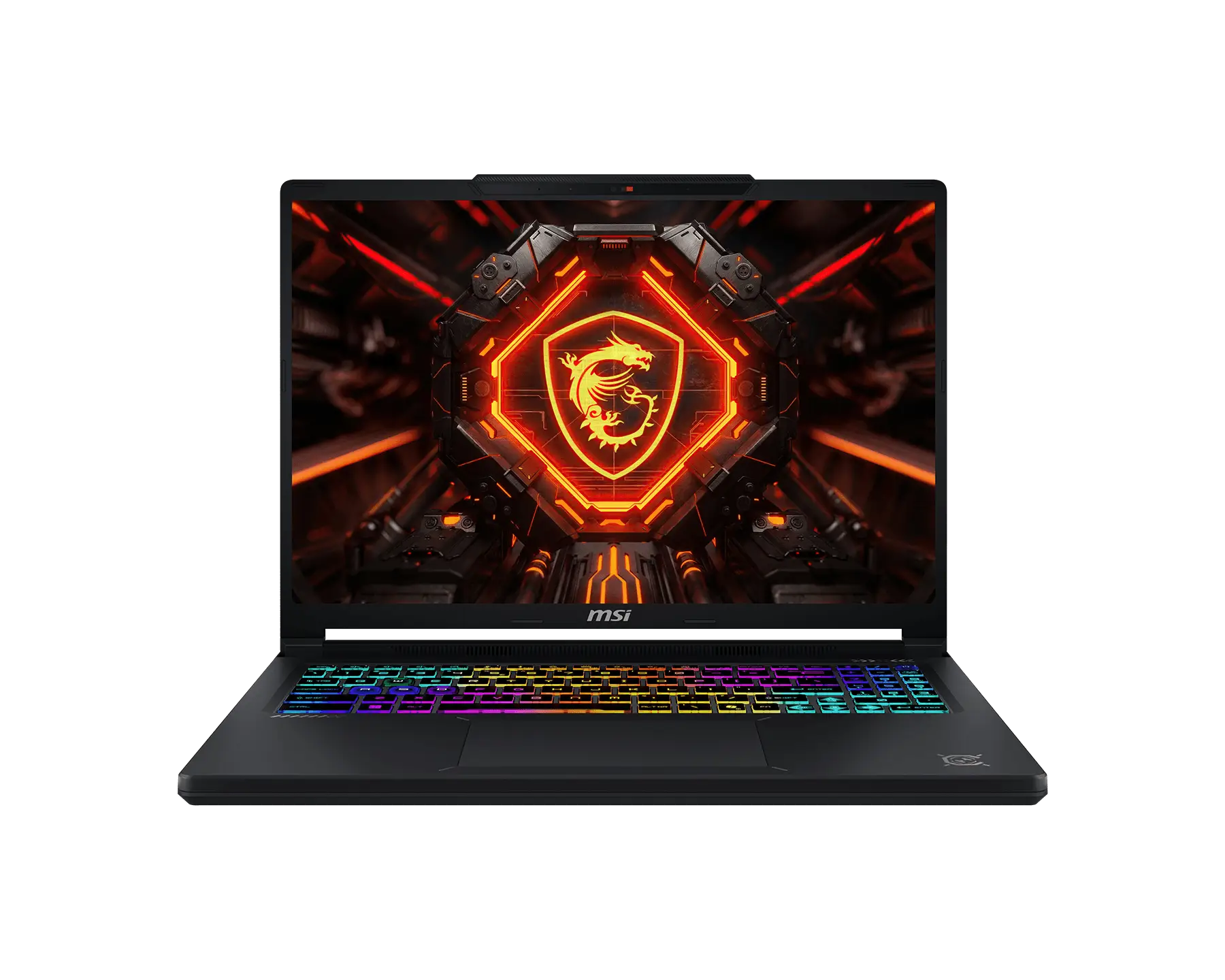
Direct Laptop Verdict: For an optimal balanced gameplay experience, we recommend laptops equipped with an RTX 4060 or RTX 4070 (e.g. delivering a stable 60+ FPS on High settings).
Gaming laptops that meet the requirements
🎯Budget Choice: Gigabyte Gaming A16 Pro - for 1080p

Golden Optimization Settings ⚙️
Recommended Adjustments for Massive Framerate Boosts
Volumetric Clouds / Volumetric Fog
Medium / High
📈Dropping these from Ultra provides significant GPU relief with minimal visual degradation.
Frame Generation (FSR 3 / DLSS 3)
On (If base framerate is >40)
📈Utilizing Frame Generation can massively double perceived framerates, which is highly recommended for 1440p and 4K targets.
What is the gameplay and performance like in Avatar: Frontiers of Pandora?
Direct Gameplay Verdict: Featuring hybrid combat systems and open world progression, Avatar: Frontiers of Pandora scales well on multi-threaded processors but is VRAM intensive on high quality textures.
Gameplay and Settings Overview
Gameplay & Core Mechanics
Exploration-heavy gameplay where players must actively gather flora and hunt fauna. No traditional mini-map navigation is enforced; instead, players use their 'Na'vi Senses' to track objectives, scents, and weak points.
World Design & Atmosphere
The Western Frontier is broken into three massive biomes: the lush Kinglor Forest, the sweeping plains of the Upper Plains, and the foggy, perilous Clouded Forest. The world features heavily reactive flora and dynamic weather systems.
Story Setup
Raised by the human militaristic corporation RDA under a program meant to weaponize Na'vi children, the protagonist is left in cryosleep. Awakening 15 years later during the events of the films, they must rediscover their Na'vi roots and fight the encroaching RDA.
Combat Tactics
Combat allows the player to seamlessly mix Na'vi weaponry (such as heavy longbows and spear-throwers) with human RDA firearms (assault rifles, shotguns, rocket launchers). Agility and verticality play a massive role in fighting RDA mechs.
Character Progression
Progress is tied heavily to crafting better gear and completing quests for Clan Favor. Skill points are invested into trees categorized into Survivor, Warrior, Hunter, Maker, and Rider.
Multiplayer Modes
Fully supports a 2-player drop-in/drop-out online cooperative campaign.
Performance & Graphics Settings Tips
Avatar leverages forced Ray Tracing for global illumination, reflections, and shadows. Native resolution rendering is extremely taxing. AMD's FSR 3 (with Frame Generation) and NVIDIA's DLSS are built-in and fundamentally necessary to achieve high frame rates.
Editions, Modes & Multiplayer
Cross-Play, Cross-Save, & Multiplayer Details
Supported Features Matrix
Cross-Play
Supported
Cross-Save
Supported
Monetization
Premium
Base Price
USD $69.99
Expansion Packs & DLCs
Steam Deck Lab 🎮
While it can run, the heavy reliance on forced Ray Tracing makes Avatar struggle to maintain a stable 30FPS on the Steam Deck without extreme visual compromises.
Anti-Cheat Report 🛡️
Accessibility Analysis
Avatar: Frontiers of Pandora Inclusivity Report
Subtitles
Full dialogue & ambient sounds support
Colorblind Modes
Presets for deuteranopia, protanopia, or tritanopia
Motion Blur Control
Ability to toggle or scale motion blur and camera shake
Controller Remapping
Full remapping support in client configuration options
Screen Reader / Narration
Audio narration of onscreen elements and menus
Cloud Gaming Support
Avatar: Frontiers of Pandora — Streaming Platform Intelligence
GeForce NOW
UnavailableRTX ON with ray tracing supported in Ultimate tier.
Xbox Cloud
UnavailableAvailable with Xbox Game Pass Ultimate subscription.
Boosteroid
AvailableWorks well with stable 20+ Mbps connection.
Shadow PC
AvailableFull PC cloud instance. RTX 4070 tier available.
Campaign & Game Details
Missions, Weapons, Vehicles, & Characters
🗺️ Campaign Missions
Awakening
Escape the TAP facility during an RDA raid and emerge into the breathtaking Kinglor Forest for the first time.
Pushing Back
Lead an all-out assault alongside allied Na'vi clans to destroy a major RDA drilling installation.
Take Flight
A pivotal mission where the player scales an enormous floating mountain rookery to bond with their own Ikran.
🗡️ Weapons & Gear
Assault Rifle
Standard issue human firearm that deals rapid damage but generates noise and ruins animal pelts if used for hunting.
Heavy Bow
A slow but highly precise and devastating longbow, perfect for sniping RDA infantry and hitting AMP suit weak spots.
🚗 Vehicles & Mounts
Direhorse
A fast, six-legged beast of burden used for rapid ground travel across the vast Upper Plains.
Ikran (Banshee)
A deeply personal flying mount that the player bonds with early in the game, used for aerial combat and traversal across the massive map.
👥 Cast & Characters
Alma Cortez
A former TAP teacher who helped the Na'vi children escape and now works with the local human resistance.
John Mercer
The ruthless RDA director who ran the Ambassador Program (TAP) and serves as the primary villain.
The Protagonist (Player)
A Na'vi child of the lost Sarentu clan, stolen by the RDA, who must reconnect with their heritage.
Gameplay Screenshots
High-Quality In-Game Screenshots

Related Games
Compare hardware requirements against similar titles

Frequently Asked Questions
Answers to Common Questions
Q:Can I play Avatar: Frontiers of Pandora in third-person?
A:The game was originally strictly first-person on foot and third-person only while riding mounts. However, a post-launch update introduced an optional third-person perspective.
Q:Do I need an SSD to play Avatar on PC?
A:Yes, Ubisoft officially mandates an SSD. The Snowdrop engine streams massive amounts of high-resolution textures and geometry instantly; playing on a mechanical HDD will result in severe pop-in, audio desync, and game-breaking stutter.
How We Verify Hardware Requirements
At NKMGaming, we do not rely on official specifications sheets alone. We verify system compatibility and performance by testing games on dozens of real-world gaming laptops. We analyze actual gameplay, processor performance, graphics power, and laptop temperatures. We also cite verified game developer updates, player reports, and hardware tests to ensure our recommendations are accurate as of 2026.